
Bloguru has an aggregator function that allow bloguru post to
be displayed on any website. It is al so called RSS feed.

Go to your Bloguru Administrator Screen
Select Options and select aggregator
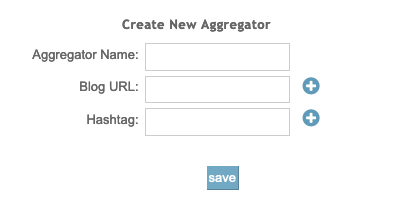
Aggregator Name ... You name this Feed
Which Bloguru you want to aggregate .... Enter https://...
and Press +
You can have multiple Bloguru aggregated.
Enter # Tag and press +
You can Filter.
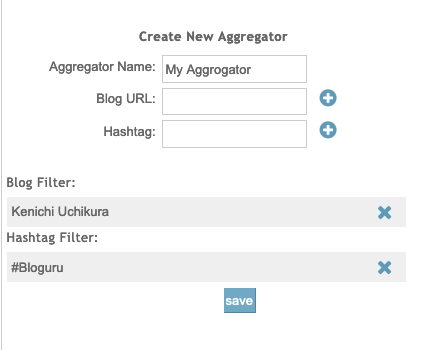
This is the example of what I put in.

When you press SAVE, the aggregator you created will be displayed on top.

Press Generate aggregator code >> on top right.
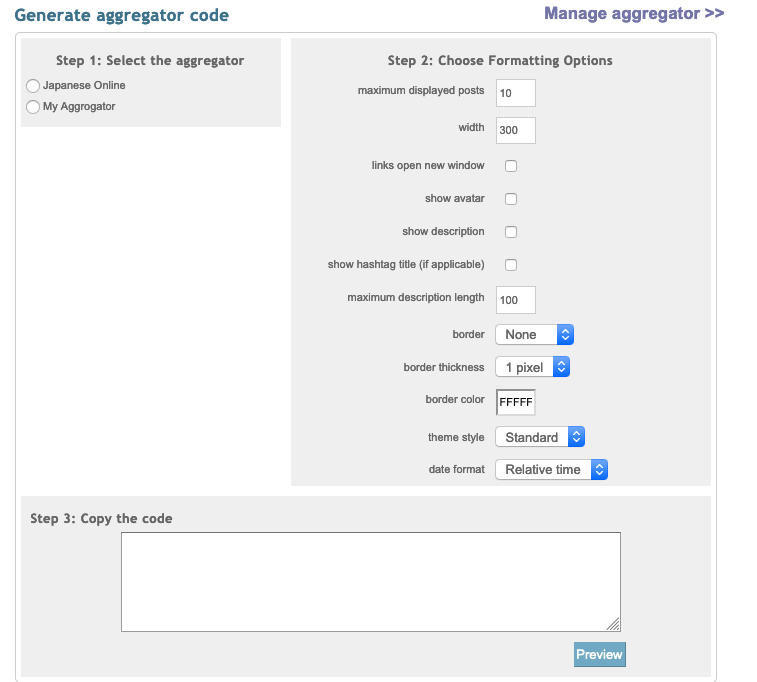
Select the aggregator you want on the left.
The right side is to control the appearance of the feed.
Press Preview to see what it looks like.
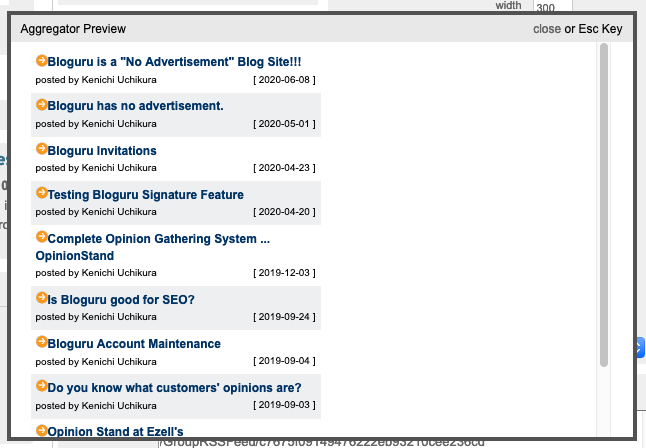
Preview looks like this.

The code you need will be displayed at the bottom windows.
Just copy this code and embed on to your home page.
That concludes how to use Bloguru Aggregator.
Kenichi Uchikura
President / CEO
Pacific Software Publishing, Inc.
ken.uchikura@pspinc.com
__..-・**・-..__..-・**・-..__..-・**・-..__..-・**・-..__
I am publishing newsletter every Wednesday.
I would like you to subescrbe at following URL.
It tales less than a minutes to read.
UCHIKURA CO
Thank you.
__..-・**・-..__..-・**・-..__..-・**・-..__..-・**・-..__
#PacificSoftwarePublishing #PSPinc #KenichiUchikura #KenUchikura #UchikuraCo #Bloguru